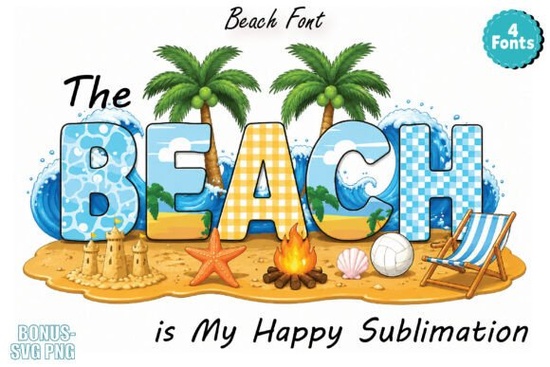
If you're looking for a friendly, summery typeface that feels like bare feet in warm sand and salt-kissed hair, The Beach Font is a relaxed, colorful option that works especially well for casual, vacation-themed projects. It’s not a formal serif or minimalist sans it’s designed to bring lightness and personality to designs without needing extra embellishment. You’ll find it fits naturally into beachy branding, playful merch, and printable summer planners especially if you enjoy working with layered, color-rich fonts.
What kind of projects does The Beach Font work best for?
This font shines where mood matters more than formality. Think t-shirt slogans like “Sunshine & Saltwater” or “Beach Hair, Don’t Care” phrases that land better when the letters themselves look breezy and sun-drenched. Because each letter includes built-in color layers (reds, teals, sandy beiges, coral pinks), it adds visual interest even at small sizes great for stickers, planner tabs, or social media story text overlays.
It’s also popular among print-on-demand sellers who want to stand out in crowded summer niches. Unlike single-color fonts that need manual shading or gradient effects, The Beach Font delivers ready-to-use dimension straight from the glyph. That saves time when prepping files for sublimation on towels, mugs, or tote bags just type, adjust size, and export.
How does it actually look in design software?
One thing to keep in mind: the preview on Creative Fabrica shows the font in grayscale due to technical limits. But once installed, it displays fully colored in apps that support OpenType color fonts including Adobe Illustrator, Photoshop, Canva (with upload), and Figma. You don’t need plugins or workarounds. Just install the .OTF file, select the font in your app’s menu, and start typing. Colors appear automatically no swatches or layering needed.
If you’re new to color fonts, try opening the included PDF guide first. It walks through basic usage and shows which characters include alternate glyphs (like surfboard-shaped “S” or wave-like “W”). These extras aren’t required, but they add charm when you want a little more thematic detail.
Who’s using it and why?
We’ve seen crafters use it for hand-lettered-style SVG cut files (especially for Cricut and Silhouette users). Small businesses building summer product lines think coastal gift shops or boutique swimwear brands choose it for cohesive email headers and Instagram carousel text. Teachers and homeschoolers pick it for themed reading logs or summer challenge trackers. Even planners and bullet journal fans drop it into habit trackers or weekly mood boards for a low-effort seasonal refresh.
It pairs nicely with simple sans-serifs (like Montserrat or Poppins) for contrast, or with other relaxed script fonts but avoid stacking too many decorative faces. One standout typeface often does more than three competing ones.
Is it compatible with common tools?
Yes with caveats. As mentioned, full color appears only in supported apps. In older versions of Word or PowerPoint, it’ll default to black outlines or flat fills. For cutting machines, always convert text to outlines before exporting SVGs (especially if sharing files with others). And while it works in Canva, you’ll need to upload it manually via the “Uploads” tab not search for it in their native font library.
If you’d like to explore similar styles, check out The Beach Font’s related pack, The Beach Font Colorful Fonts, which includes matching dingbats and alternate letterforms for extra flexibility.
A few practical tips before you download
- Test it first in your main design app even if it’s just typing “A B C” to confirm colors render correctly.
- Save a backup copy of the .OTF file outside your downloads folder. Font files can be easy to misplace.
- When sharing project files with clients or printers, embed the font or outline text don’t assume they have it installed.
- For sublimation, double-check your printer’s color profile settings. Bright screen colors sometimes shift slightly on fabric.
- Remember: this isn’t a display-only font. It’s legible down to ~24pt in most layouts just avoid ultra-thin body copy or long paragraphs.
If you already have a summer collection in progress or you’re sketching ideas for next season’s merch drop The Beach Font is worth trying as a quick, joyful upgrade. No overhauls needed. Just open a file, swap in the font, and see how much lighter the whole design feels.
Learn More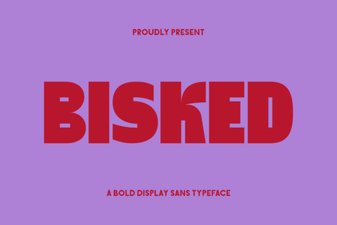 Designing with Bisked Font for Modern Projects
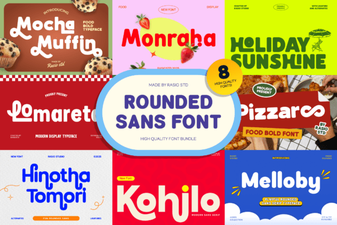 Get Creative with Rounded Sans Font Bundles
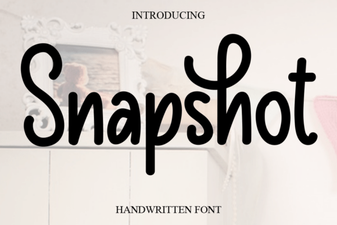 Snapshot Font: Design Templates for Modern Websites
 Designing Fonts for Nuanced Emotional Expression
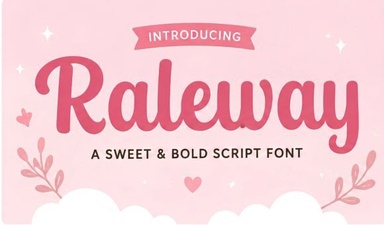 Designing with Raleway: Elegance in Modern Typography
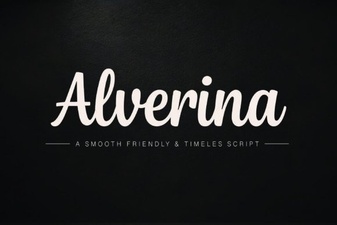 Design Projects Featuring Alverina Font